Fliki
Create a video
English

How to plan with fliki examples youtube creators can adapt

Looking at fliki examples youtube creators might make is useful only when you can see how an idea becomes a watchable video. Start with a format, write for the viewer, and check every claim and asset before publishing.

Why YouTube videos stall before publishing

A promising topic is not yet a script, and a script is not yet a video people can follow.

The explanation is clear in your head, not on screen

A Fliki video idea for a lesson needs more than a paragraph of facts. Choose one question the viewer should be able to answer by the end. Break the explanation into a hook, two or three teachable points, and a recap. Then decide what the viewer should see during each point. A diagram, a labeled example, or a relevant demonstration can carry information that narration alone cannot. If a visual does not help explain the point, leave it out.

  • Write the learning goal before the narration.
  • Give each visual one job.
  • Check definitions against a reliable source.

The product story turns into a list of features

A YouTube walkthrough works better when it follows a customer task rather than reciting every feature. Show the starting problem, the action a person would take, and the observable result. Keep claims limited to what the footage or a source can support. If you are planning a Fliki example around a service instead of a physical product, use a simple process illustration and describe its steps plainly; do not imply that illustrative footage proves a customer outcome.

  • Pick one customer task.
  • Show a step before describing its benefit.
  • Remove claims you cannot substantiate.

The opening promises more than the ending delivers

For a narrated YouTube story, decide on the payoff before writing the hook. The opening should raise a specific question, each middle beat should add information, and the ending should answer that question without introducing an unrelated claim. Fliki can be part of a video-planning conversation, but the creator still has to make editorial choices: what to omit, where to pause, and whether an image actually matches the words being spoken.

  • Draft the final takeaway first.
  • Make each scene change advance the story.
  • Read narration aloud to catch awkward transitions.

Three concrete workflows for a YouTube idea

These workflows begin with an audience and a message, not a presumed setting or output from any particular tool.

The lesson creator

Turn a frequently asked question into a short explainer. Write a one-sentence answer, expand it into three points, and assign a supporting visual to each point.

The result is a scene-by-scene brief that an educator can review for accuracy before making a YouTube video. For a shorter cut of the same lesson, fliki examples tiktok explores how a single point can stand alone.

fliki examples tiktok
The product demonstrator

Start with one real customer task. Outline the initial state, record or plan the key action, then show the result without adding unsupported performance claims.

The brief separates footage you must supply from visuals you could illustrate. If you are evaluating a video-making workflow, fliki ai video generator focuses on that capability rather than a finished channel example.

fliki ai video generator

The narrated storyteller

Write a hook that poses one question, arrange three evidence-backed beats, and end with an answer. Mark any sentence that needs a citation or a clearer visual.

The outline gives the creator a script to revise and read aloud before selecting narration. For the voice side of that process, fliki ai text to speech covers the separate text-to-speech topic.

fliki ai text to speech

Example output: a question-led explainer

Imagine a YouTube video answering, “Why does a room echo?” Here is the editorial change from a loose topic to a usable video brief.

  • Topic: why rooms echo
  • Brief: question, three points, recap

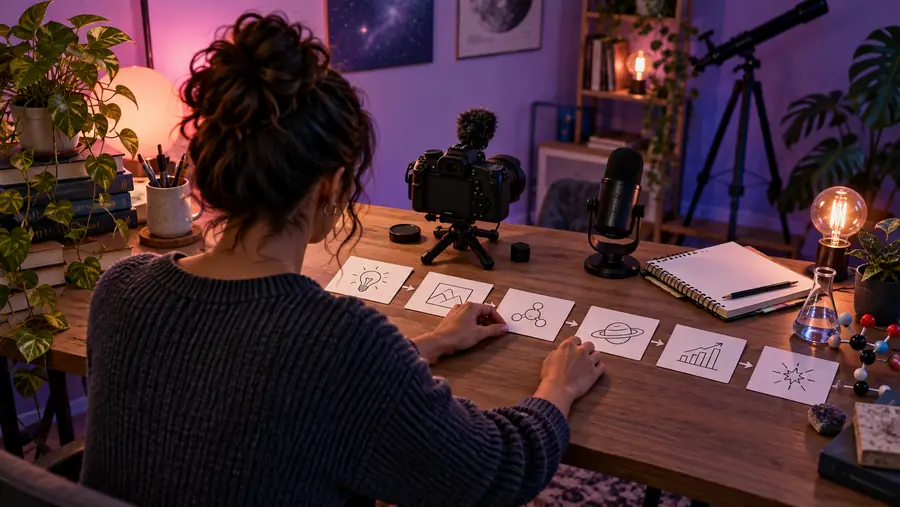
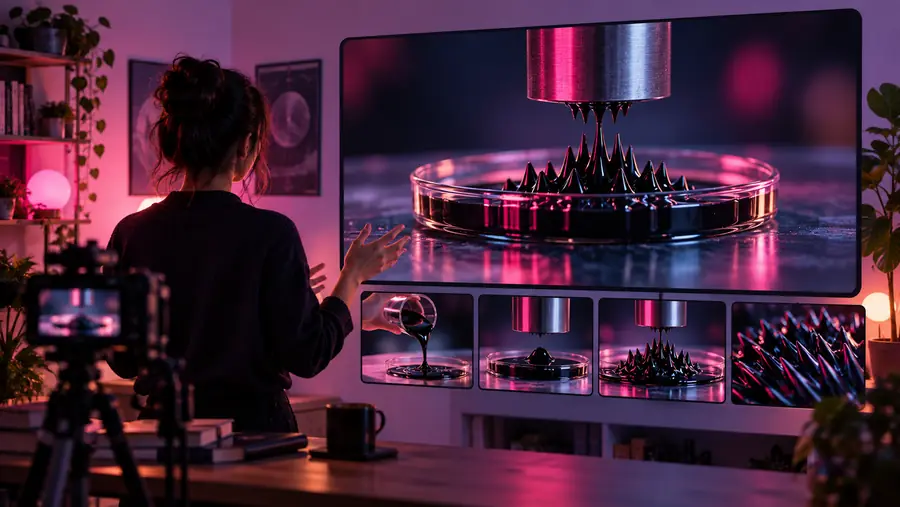
Sample outline: open with a clap in an empty room; explain sound reflection, compare hard and soft surfaces, then recap what changes the echo. The images illustrate the planning comparison, not a verified before-and-after export from Fliki.

Illustrative starting image for a YouTube video-planning example
Illustrative example image beside a planned explainer outline

Compliance notes before you publish

Make the example yours, then verify it

Treat every Fliki-inspired outline as a draft. Confirm factual statements, obtain permission for footage, music, logos, and recognizable people, and check whether your YouTube upload needs a disclosure about altered or synthetic content. Review the current platform rules for your specific video rather than assuming a general example settles them. Finally, watch the complete edit with captions on: a clear script can still have a misleading visual, a misspelled name, or a cut that changes the meaning.

Draft your outline
  • Verify claims and source material.
  • Confirm rights to every included asset.
  • Review disclosure needs and the final edit.

FAQ about YouTube video examples

A useful example shows a format you can adapt, such as a question-led explainer, a task-based walkthrough, or a narrated story. Look for a clear opening, a logical sequence of scenes, and an ending that fulfills the opening promise. Treat the example as a planning model, not evidence that a particular result is guaranteed.

You can use its structure as a starting point, but the outline is not a finished script. Research the subject, write narration in your own voice, and decide which visuals genuinely support each statement. Read the draft aloud before you make the video.

Add substance rather than stretching the introduction. Expand points with a demonstration, a sourced example, or a useful comparison, and cut scenes that repeat what the viewer already knows. A longer video still needs one central question and a clear payoff.

No. The paired images illustrate the difference between a topic and a planned presentation; they do not document a verified generated video. Evaluate any actual output by watching it, checking its claims, and confirming that you have the rights to publish its assets.

Check facts, asset permissions, captions, and whether your particular video requires a synthetic-content disclosure under current YouTube rules. Also check that edits do not make illustrative scenes look like footage of an event that never occurred. Keep your sources and permissions available for later review.

Create a video
Create a video